You double-click the file and nothing happens. Or you get an error, a blank window, or a prompt you did not expect. When a PDF will not open, the cause is almost always one of a handful of things, and most take a minute to fix once you know which one you are dealing with.
This guide walks through the eight most common causes, how to tell them apart, and the order to try fixes in. If you already know the device or the exact error, the guides linked near the end go deeper.
Quick fix: Open the file in a different viewer, such as a browser tab. If it opens there, the file is fine and your usual app is the problem. If it fails everywhere, check the file size and whether it asks for a password.
Start here: a 60-second diagnosis
What you see usually points straight at the cause.
- It asks for a password → See cause 2.
- It says the file is damaged, corrupted or cannot be read → See causes 1 and 3.
- The file is 0 KB or only a few KB → The download failed. See cause 1.
- It opens in one app or device but not another → See causes 4 and 5.
- It is stuck loading, or the app freezes → See cause 7.
- The error says it is not a valid PDF → See cause 6.
1. The download did not finish
An interrupted download, a dropped connection or an email attachment that did not fully sync can leave you with a truncated file. Check the file size in your file manager. If it is 0 KB, or far smaller than you would expect, the file is incomplete. Download it again or ask the sender to resend it. This is a very common reason for a "damaged file" message, and the easiest to fix.
2. The PDF is password-protected
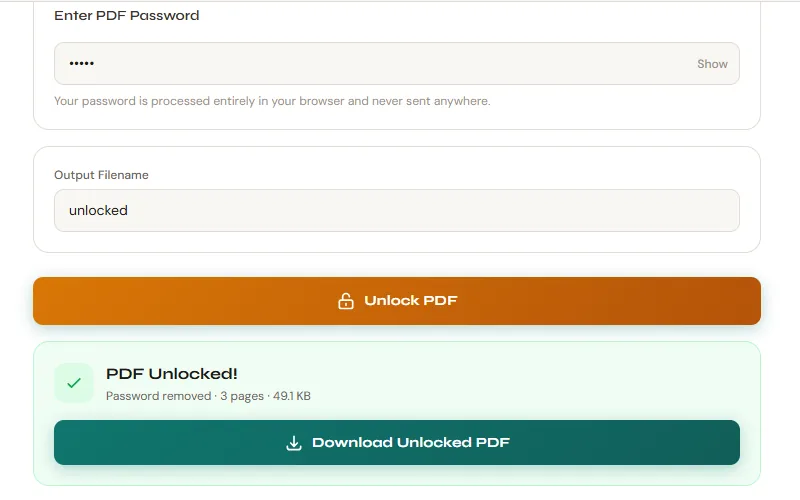
Some PDFs need a password just to open. Others open fine but block printing, editing or copying. If you have the password, enter it. If you want to stop typing it every time, PDFly's Unlock PDF tool removes the protection when you know the password. If you do not have it, only the person who created or sent the file can give it to you. Our Unlock PDF guide covers what is possible and what is not.
3. The file is corrupted
Storage errors, software crashes while saving and bad transfers between devices can damage a PDF's internal structure, so the reader refuses to open it. A repair tool can often rebuild the structure and recover text, images and layout, but not always. Try PDFly's Repair PDF tool, and see how to tell if your PDF is corrupted for what can be recovered. If repair fails, the fastest fix is a fresh copy from the source.
4. You are opening it in the wrong place
PDFs opened from an email preview, a chat app, a mobile in-app viewer or a cloud-storage previewer are often handled by a stripped-down reader that can fail on files a full viewer opens easily. Download the file to your device first, then open it from your downloads folder. On a phone, save it to your files app and open it from there.
5. Your PDF reader is outdated or misbehaving
Old software can choke on newer files, and a reader that has been running for days can simply get stuck. Update the app, restart it or try a different one. The quickest test needs no installation: drag the PDF into a browser window, or use PDFly's PDF Reader. If it opens there, the file is fine. If your browser shows the message "Failed to load PDF document," see our guide to that error.
6. It is not really a PDF
A file ending in .pdf is not always a PDF. A web page saved with the wrong extension, an expired download link that returned an error page or a renamed file can all look right in your folder. To check, open the file in a plain text editor such as Notepad or TextEdit. A real PDF starts with the characters %PDF- followed by a version number. If you see web page code or an error message instead, you have the wrong file and need to download the real one again.
7. The file is huge or complex
Scanned books, long reports full of high-resolution images and files with lots of layered graphics can take a long time to open, and some readers appear to freeze while loading. Give it a minute or two before assuming it is broken. If the file is simply large and you need to send it on, see how to compress a PDF and why PDFs get so big.
8. Something is blocking it
Some readers open files that came from the web or email in a restricted mode and ask you to allow them to load. Files in cloud-synced folders such as OneDrive, iCloud or Dropbox can also appear in your folder as placeholders that have not been downloaded yet. Wait for the sync to finish, or choose the option to keep the file on the device, then try again. Also check that the file is not open in another program and that you have permission to read it.
If it only fails on one device
When the same PDF opens on one device but not another, the cause is usually that device's settings or default app. We have separate guides for Windows 11, iPhone and Android.
What to try, in order
- Check the file size. If it is 0 KB or tiny, download it again.
- Download it to your device and open it from there instead of an email or chat preview.
- Drag it into a browser window, or open it in a browser-based viewer.
- If it asks for a password, enter it, or unlock it if you know the password.
- If it still says the file is damaged, run it through a repair tool.
- Update or switch your PDF reader and try again.
- If nothing works, ask the sender for a new copy.
When it opens, but something is wrong
Sometimes the file opens but the content is the problem. If the pages are only images and you cannot select or search the text, it is probably a scan. Our OCR PDF guide explains how to get the text out. If pages appear blank, the file was likely only partly downloaded or your reader could not render its images, so re-download it and try another reader.
Still stuck?
Test the file in a viewer that runs in your browser. No signup, no watermark.
Open PDF ReaderFrequently Asked Questions
Why does my PDF open on my phone but not on my computer?
Different devices use different PDF readers. Your computer's reader may be outdated, restricted or struggling with the file. Try dragging the file into a browser window to see whether the file itself is fine.
Can a corrupted PDF always be repaired?
No. Repair tools can often recover text, images and page structure from a partly damaged file, but if the damage is severe, some or all of the content may be lost. If repair fails, ask the sender for a fresh copy or restore an earlier version from a backup.
Why does my PDF ask for a password when nobody gave me one?
The PDF has been encrypted, usually by whoever created it. Only they, or the person who sent it, can tell you the password. An unlock tool removes protection only when you already know the password.
Is it safe to open a PDF that behaves strangely?
Be cautious. PDFs can carry malicious content, so do not open unexpected files from unknown senders, and never run anything a PDF asks you to run. If the file came from someone you trust, confirm that they actually sent it.
Why does my PDF open but show blank pages?
Usually the file was only partly downloaded, or your reader failed to render its images or fonts. Re-download the file and try a different reader. If the pages are blank everywhere, the file may be damaged.